Compare Company – Quick Guide
Want to see how two companies stack up side by side? Compare Company lets you do just that!
How to Access:
-
Go to Power Tools → SU Company List.
-
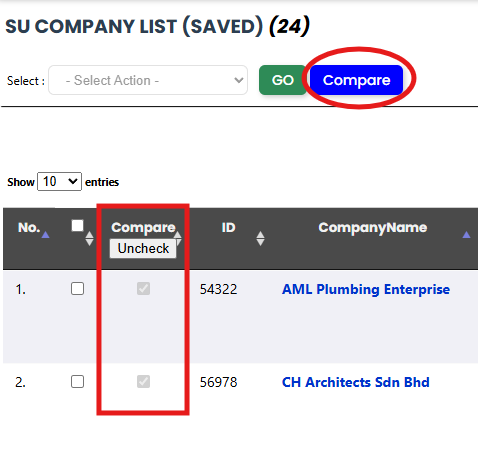
Tick exactly 2 rows under the Compare column.
-
The Compare button at the top will become active—click it to see the comparison.
What You’ll See:
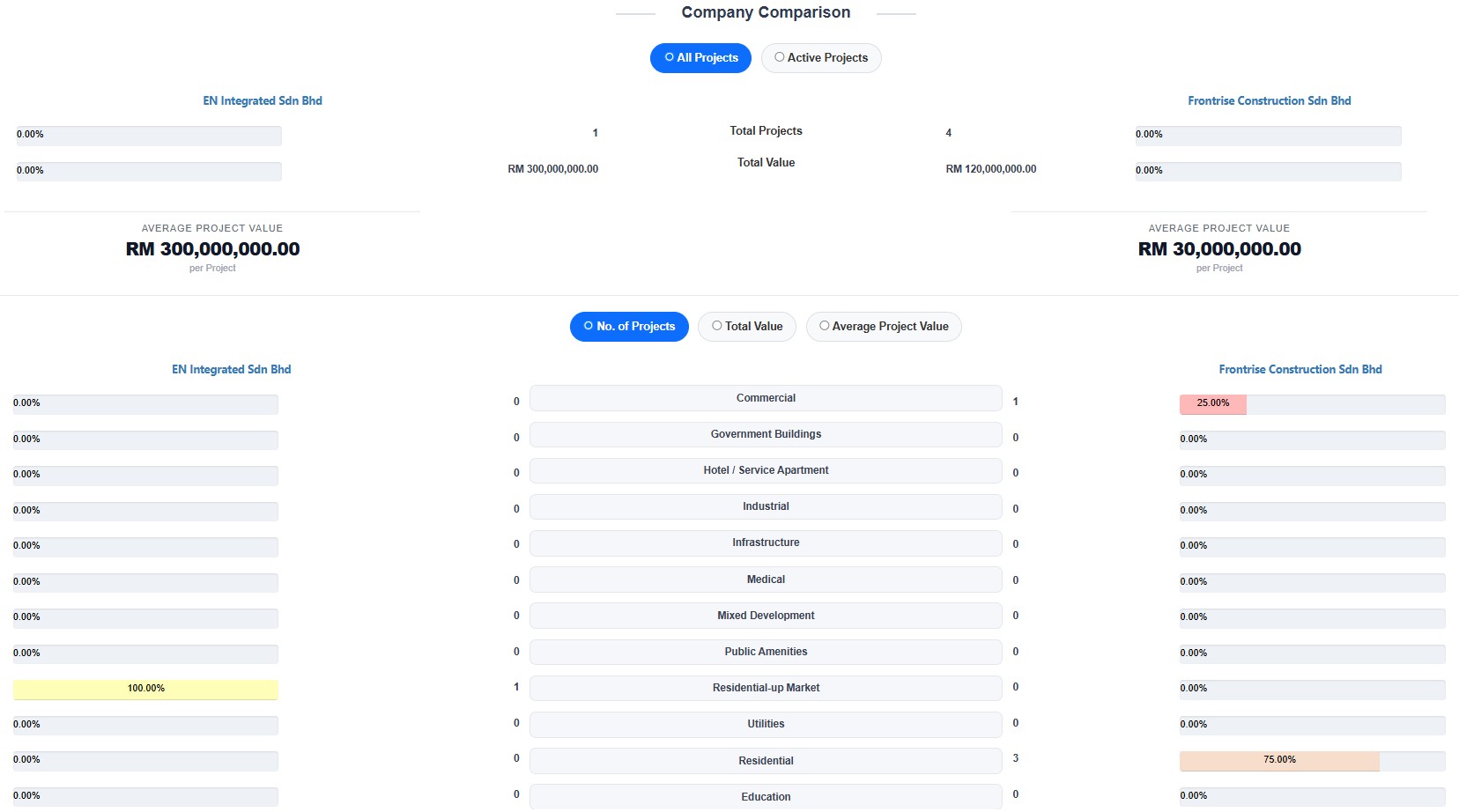
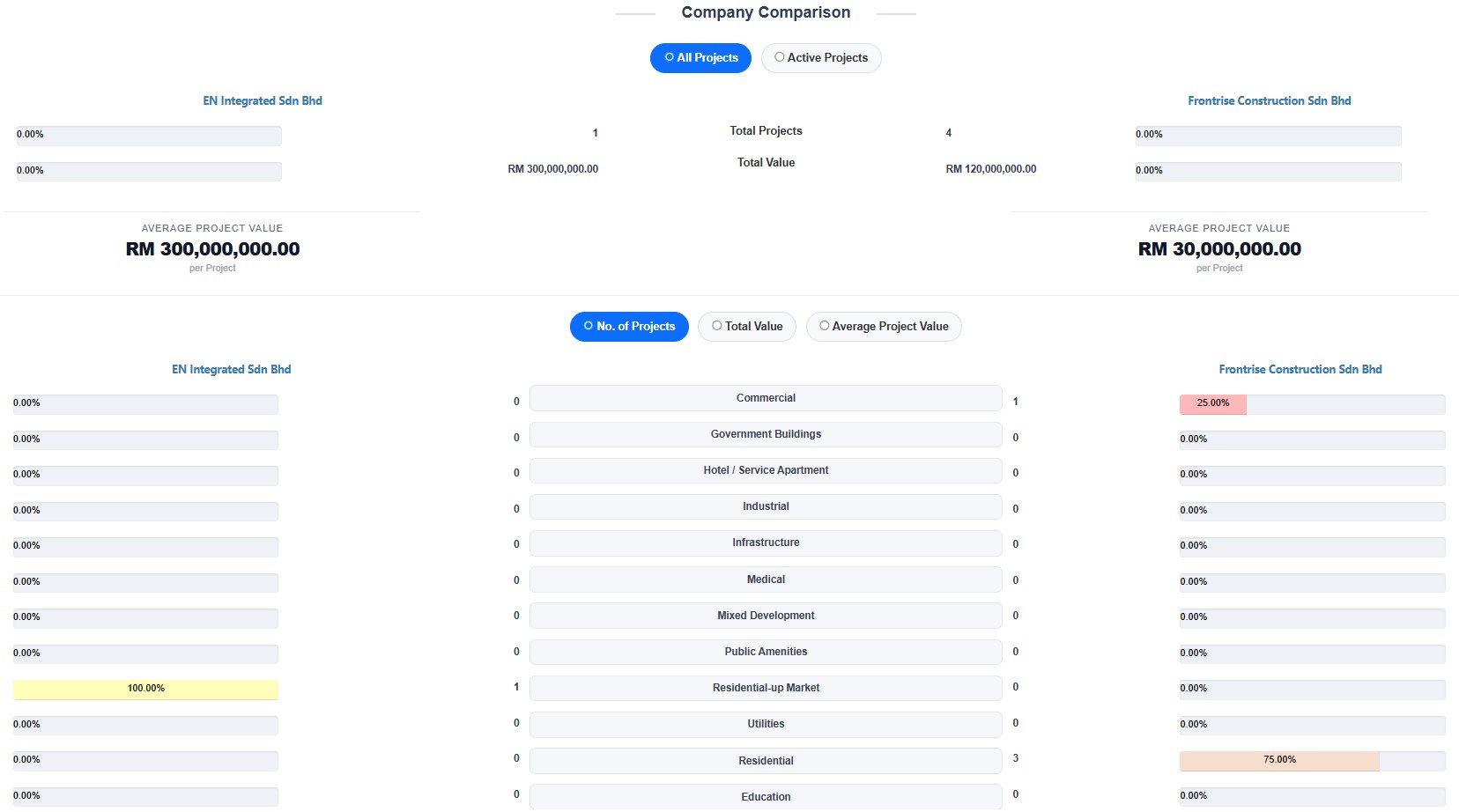
The comparison page displays data similar to Company Insights, giving you a clear view of each company’s:
-
Project summary (All Projects & Active Projects)
-
No. of projects, total value, and average project value indicator
Note: This view does not include Top 5 Largest Projects or Active and Historical Partners. It’s purely for side-by-side analysis, making it easier to compare companies at a glance.